Thursday, October 7, 2021

October 6th, 2021

 Pringle Challenge:  https://carlyandadam.com/thecarlyandadam/pringles-ring-stem-challenge


Idea for Next Time:  https://www.archimedes-lab.org/mastermind.html

Wednesday, November 20, 2019

November 21 Gaming Club Meeting


Image result for guide someone blindfolded


Plan for November 21 Gaming Club Meeting:

A)  Code your Friend!:  Obstacle Course Activity!

B)  Play an example MAZE game here:  LINK

      Learn to make your second Game!  A MAZE Game!!


Directions for the MAZE GAME:
1)   Copy and paste in browser:  g.co/CSFirst

2)  Click "Sign In"

3)  Click: "I am a student"

4)  Enter class code:  b5rxdr

5)  From here, you can create a CS First account or use an existing one (I can give you your index card from our last meeting with your username and password).

6)  Click on Activity 3: The Maze Game!


C)  Play a logic computer game that has already been coded!   http://www.hacker.org/coil

Your goal: Click a square to start the coil. 
                 When you click another square the coil will go in that direction until it hits a wall                    or  a green square. 
                 Figure out how to get the coil through every gray square. 


Thursday, October 17, 2019

October 17 Gaming Club Meeting


Image result for peanut butter jelly


Plan for October 17 Gaming Club Meeting: 

A)  Peanut Butter and Jelly  Activity

B)  Learn to make your first Game!  A Racing Game!!

C)  Play a logic computer game that has already been coded!   http://www.hacker.org/cross/

Your goal: turn on all the lights. Click a square to flip the lights on all squares in the same vertical and horizontal line.


Directions for the RACING GAME:
1)   Copy and paste in browser:  g.co/CSFirst

2)  Click "Sign In"

3)  Click: "I am a student"

4)  Enter class code:  b5rxdr

5)  From here, you can create a CS First account or use an existing one.

6)  Click on Activity 2: The Racing Game!


Thursday, September 26, 2019

September 26th Gaming Club


Try playing this logic game!

Your goal: turn on all the lights. Click a square to flip the lights on all squares in the same vertical and horizontal line.

http://www.hacker.org/cross/

Tuesday, May 7, 2019

May 9th Meeting

At this meeting we'll start off using some puzzles and then we will learn to code using Minecraft.  Click on the picture or the link below to get started.


Tuesday, March 26, 2019

March 28th Meeting

At our next meeting, we'll be using our coding brains to break out of the digital box using BreakoutEDU.  Click the picture below to get started.


For the last 15 min you can play any game you want!

(Sign in link)

Tuesday, January 29, 2019

February 28th Meeting

Since our January 31st meeting was cancelled due to the snow day, we'll be doing this on February 28th.

At this meeting we'll be playing the game RoboZZle. You'll need to program solutions to the puzzles to collect all of the stars.


At 2:45, you can continue with RoboZZLe or try this new game:


For the last 15 min you can play any game you want!

(Sign in link) 

Monday, December 17, 2018

December 20th Meeting

At this meeting we'll be again working with Scratch!  We'll be playing and making modifications to the Space Shooter game linked below. Can you modify it to make it better?


At 2:45, you can explore any of these gaming/coding options:


For the last 15 min you can play any game you want!

(Sign in link)

Tuesday, November 27, 2018

November 29th Meeting

At this meeting we'll be looking at Scratch!  We'll be playing and making modifications to the Hide and Seek game linked below.


At 2:45, you can explore any of these gaming/coding options:


For the last 15 min you can play any game you want!

Friday, October 19, 2018

October 18th Meeting

At this meeting we will look at CodeCombat.com to teach the basics of programming through gaming.


We will also have time at the end (15 min) for free play.

Thursday, September 13, 2018

September 27th Meeting

Welcome to Gaming Club!

For our first meeting, we will be playing around with some video games and you'll have the chance to create your own!

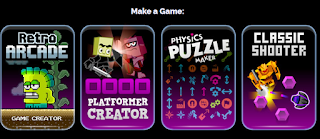
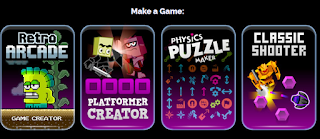
If you want to play arcade, platform, or shooter games, click the picture or link below:


If you like logic and puzzles, check out this game:


Wednesday, September 5, 2018

Gaming Club 2018-2019 Meeting Dates!

Welcome back to school! Gaming club will meet on these dates (Thursdays) in the Library right after school.  There is a late bus to bring students home if needed.


Sept 27       Oct 18
Nov 29        Dec 20
Jan 31         Feb 28
Mar 28        April 25
May 30


Tuesday, May 29, 2018

May 31st Meeting - The Last One!

This is our last meeting of the school year!

Activity 1: Tower building.  How tall can you make a tower using only spaghetti, marshmallows, and masking tape?

Activity 2: 
Other options to play:

Tuesday, May 8, 2018

May 10th Meeting

Activity 1: Robots!
At this meeting we'll be playing with robots! We have Finch robots and some Kano computers to play with.

Activity 2: Cross Flip
Check out this new puzzle game from hacker.org. 


Tuesday, April 24, 2018

April 26th Meeting

Activity 1: the Decanting Puzzle
  • Can you figure out the most efficient way to accomplish the task?
  • Link:  Decanting Puzzle

Activity 2: Coding a Maze
  • Using Javascript, we will be creating a randomly generated maze
  • Link:  Coding a Maze

Activity 3: Continue previous work!

Monday, March 19, 2018

March 22nd Meeting


We will start this meeting with an intro activity where we have to write algorithms using graph paper and designs.  Algorithms are sequences of steps that can be repeated to accomplish a task.  They are fundamental parts of all programs.


After our introduction, you have two options:

Option 1:
If you want to learn how to code, login to the link below using your Google account here:

Option 2:
If you are more interested in playing games and puzzles, try out your "hacking" skills using this website:

Tuesday, December 12, 2017

December 21st Meeting

At our meeting on the 21st, we will again be creating and playing games using the website Sploder.com.


First, you will need to create an account so that you can save your games.  Please use your @ga.hiltoncsd.net email and password so we can look it up if you forget it.


Once you have created a game, please share it using the form below.  Then, we will collect them all and share them with the whole school.

Friday, November 17, 2017

November 30th Meeting

At this meeting we will be playing and creating our own games!  Click on the image below to play Mr. Fisher's simple game.


You need to enable Flash in order to play and create games.  To do this, click on the i symbol next to the URL box to view site information.

Then, enable Flash by selecting Always allow on this site.